The Sims™ FreePlay
- 4.4
- Rating
- 10.00M
- Installs
- Free
- Price

 Analysis by App-foxy
I approached The Sims™ FreePlay as a decision rather than simply another mobile download: does it offer enough control, variety, and long-term interest to justify giving it a regular place on your phone? After spending time with it, my answer is yes for players who enjoy building routines and shaping characters over time, but with an important condition. This is not a quick, self-contained game that gives you everything immediately. It is a life-simulation game from ELECTRONIC ARTS that asks for patience, planning, and a willingness to live with free-to-play limits.
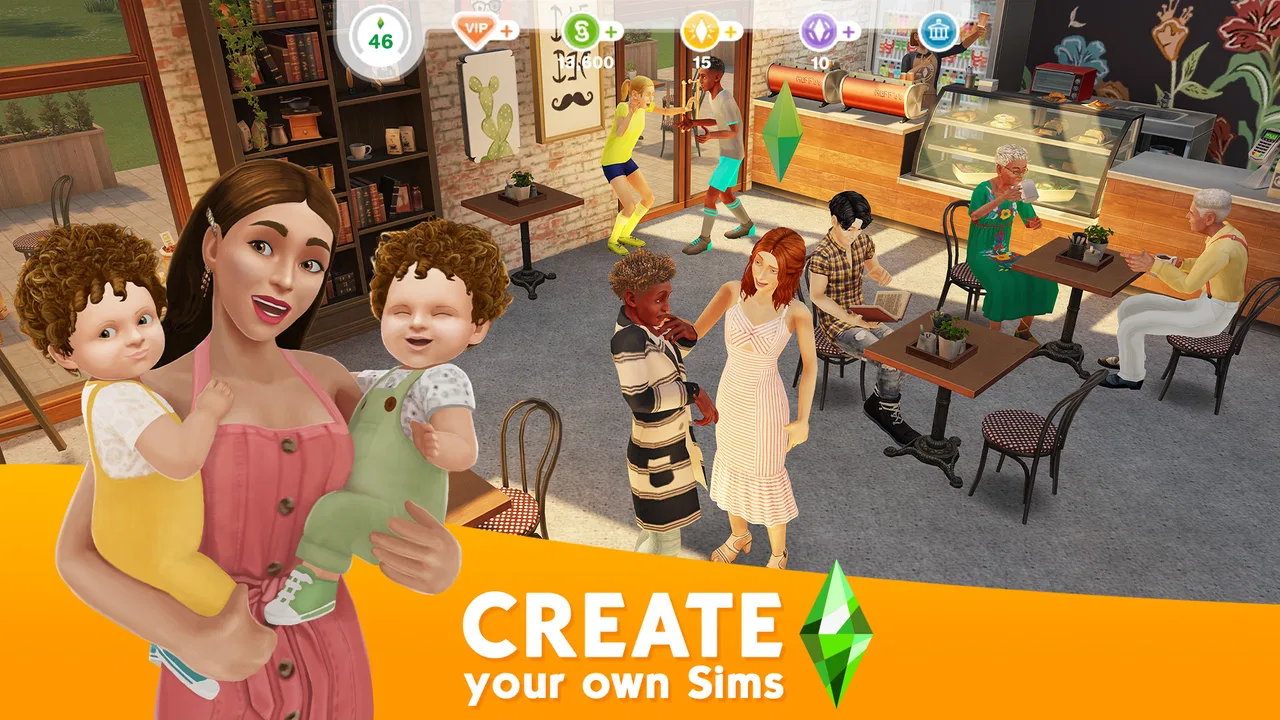
The appeal is easy to understand. You create Sims, influence their homes and daily activities, and gradually turn a small collection of characters into a more personal virtual community. The game works best when I treat it as a slow-moving hobby rather than a challenge to finish as quickly as possible. I can open it for a short check-in, make a few decisions, then return later to see how those choices fit into the wider routine.
That makes it a particularly different proposition from most casual mobile games. Instead of chasing one score or repeating a short level, I am managing people, spaces, schedules, and priorities. The result feels more personal, but it can also feel less immediate. If you want constant action, you may find the pace frustrating. If you like decorating, organizing, and inventing stories for digital characters, it has much more to offer.
You May Also Like

 Blood Strike: 2.5 Anniversary
Blood Strike’s Loadouts Turn Every Drop Into a Tactical Gamble
A close look at Blood Strike’s custom loadouts: how fast access to signature weapons reshapes its battle royale rhythm, rewards preparation, and narrows the gap between fights.

 Pandora - Music & Podcasts
Pandora’s Music Is Easy to Start, but Harder to Recover
Pandora’s strength is its low-effort path from a seed to a station. Its weak spot is how much confidence it asks you to place in connection, setup, and quiet recovery.

 8 Ball Pool
 Is Built on Rivalries, Rematches, and Routine
A close look at the rivalries, rematches, shared routines, and unanswered safety questions that turn a quick pool match into a persistent mobile community.

 Samsung Music
’s Quiet Strength Is Playing What You Already Own
Its reach comes less from spectacle than from dependable access to a personal library. That simplicity is both the app’s strongest retention engine and its ceiling.

 AccuWeather: Weather Radar
AccuWeather Review: A Quick, Clear Forecast for Everyday Decisions
For everyday plans, the best forecast is the one you can understand quickly. AccuWeather makes rain timing, radar, and local conditions easy to act on, with a few trade-offs.

 Hill Climb Racing
Why Hill Climb Racing Still Turns Crashes Into One More Run
A tiny car, a bumpy hill and one more upgrade: Hill Climb Racing keeps resurfacing because its simple chaos makes every near-miss feel personal.
More From Our News Desk



What to consider before choosing it
The first decision is whether you enjoy open-ended play. The Sims™ FreePlay does not depend on a single dramatic objective in the way a puzzle, racing, or combat game usually does. I get more from it when I set my own goals: improving a home, developing a character’s routine, expanding a neighborhood, or simply creating an amusing situation and watching it unfold.
The second question is how comfortable you are with waiting and spending choices. The game is free to download, but it includes in-app purchases ranging from $0.99 to $99.99 per item. That does not make it unusable without spending, but it does mean I have to pay attention to the difference between what I want immediately and what I can achieve by letting the game progress naturally. For me, the best approach is to decide on a personal limit before playing, rather than making a purchase because I am impatient in the middle of a task.
It is also worth considering the age rating. The game is rated Teen, which makes it a better fit for older players and families who are comfortable discussing mobile purchases and the way free-to-play games encourage continued engagement. I would not hand it to a younger child without checking the device’s purchase controls and deciding how much independence is appropriate.
Device compatibility is another practical point. The current version is 112.0.0 and requires Android 7.0 or later. On a compatible phone, the experience is designed around regular touch interaction, so screen size matters more than raw gaming performance for comfort. A larger display makes arranging rooms and navigating the neighborhood easier, while a smaller phone can make detailed decoration feel slightly fiddly.
A useful way to judge the gameplay loop
I recommend judging the game by asking whether its repeated cycle sounds relaxing or tedious. You assign activities, manage available time, check progress, and decide what deserves attention next. That cycle is satisfying when I have a clear plan. It becomes less appealing when I expect every action to produce an instant reward.
A realistic everyday use case is a short evening session. I might open the game after dinner, start a longer activity for one Sim, use another character for something that can be completed sooner, and spend the remaining time adjusting a room or reviewing the next goal. The game then becomes a small routine rather than something that demands an uninterrupted hour. That structure suits people who like checking in several times during the day.
There is a trade-off here: the same pacing that makes it easy to fit around daily life can make progress feel slow. I would not choose it for a commute if I wanted a complete gaming experience in ten-minute bursts with no waiting. I would choose it if I wanted a persistent world that I could revisit in those bursts.
Why the customization has lasting value
The strongest reason to stay is the freedom to make the game feel like yours. Character creation and home design are not just decorative extras; they provide the creative purpose behind the routine. I can make a household that resembles a real family, create exaggerated personalities, or build a setting designed entirely around a story I have in mind.
One less obvious benefit is that planning the home can improve how I play. Instead of placing objects randomly, I can think about which activities belong together and how I want each Sim to move through the space. That turns decoration into a practical exercise in organization. A compact layout may make the household easier to manage, while a larger, more elaborate home gives me more room for visual expression but can take longer to arrange.
I also find that giving each character a distinct routine makes the simulation more interesting. If every Sim performs the same activities, the game can feel like a checklist. Assigning different priorities creates small stories naturally: one character may focus on work, another on home life, and another on developing a particular interest. This is the kind of self-directed detail that a short store summary cannot really communicate.
Where it stands out, and where another game may fit better
Compared with a traditional life-simulation game on a computer or console, this mobile version is easier to pick up throughout the day. I do not need to reserve a long session or sit in front of a larger screen. The phone format makes the household feel like an ongoing project that is always nearby.
The cost of that convenience is a more deliberate pace and a stronger need to manage expectations. A premium game that asks for one purchase may feel cleaner for someone who wants unrestricted progress after paying. A traditional sandbox may also provide more immediate control over a large world, depending on the player’s priorities. I would not switch to this game expecting the same uninterrupted flow as a paid desktop experience.
On the other hand, compared with a simple decorating app, this title gives the rooms a reason to exist. I am not only arranging furniture for a screenshot; I am connecting the space to characters and their routines. Compared with a story-driven mobile game, it offers more room for personal invention but less certainty about what will happen next. Those differences matter more than the label “simulation.”
Players who prefer management games may appreciate the planning, but they should know that this is not purely an efficiency exercise. The visual and social side of the Sims world is just as important as optimization. A player who wants to calculate production chains or win competitive matches would probably be happier elsewhere. A player who enjoys combining light management with creative storytelling is much closer to the intended audience.
Three habits that make the experience better
My first practical tip is to group tasks by how often you expect to check the game. Use shorter activities when you know you will return soon, and reserve longer ones for periods when the phone will be away. This sounds simple, but it prevents the common mistake of starting a long sequence just before you want to play actively.
My second tip is to treat premium currency and purchases as a planning tool, not a rescue button. Before spending, I ask whether the purchase changes the way I want to play or merely removes a temporary delay. That distinction helps preserve the free experience and reduces the feeling that every inconvenience is designed to push me toward payment.
My third tip is to keep a clear creative theme for each household or area. A home with a purpose is easier to develop than a space filled with unrelated items. I might focus one household on a calm family routine, another on social activity, and another on experimentation. This gives me a reason to return even when there is no immediate milestone demanding attention.
A fourth useful habit is to avoid expanding faster than I can manage. More characters and more spaces sound exciting, but they also create more routines to monitor. I get better enjoyment by making one household feel complete before adding too much complexity. This is especially helpful for new players who might otherwise mistake a larger town for automatic progress.
The friction points I would not ignore
The free-to-play structure is the biggest limitation. Even when I enjoy the creative side, progress can be interrupted by timers, resource decisions, or the temptation to pay for convenience. Players who dislike any form of waiting should think carefully before committing. The free entry is attractive, but the ongoing design is built around returning repeatedly rather than completing everything in one sitting.
The open-ended format can also leave some players unsure what they are supposed to do. I sometimes need to create my own direction instead of waiting for the game to provide a powerful sense of purpose. That is a strength for imaginative players and a weakness for anyone who prefers a clearly ordered campaign.
There is also a mental cost to managing several characters. The more ambitious the household becomes, the more attention it can require. I like that sense of continuity, but I would not call the game effortless. It rewards organization, and it can become cluttered if I accept every new possibility without deciding what matters to me.
Because the game is designed for mobile play, I also consider how I feel about checking a virtual household regularly. Some players enjoy that gentle routine. Others may find it too close to another obligation. If you already have several daily games competing for your attention, this one may be better enjoyed casually rather than added to a strict schedule.
Who should download it, and who should skip it
I recommend it to players who enjoy life simulation, home design, character customization, and stories that emerge from personal choices. It is especially suitable for someone who wants a game that can be played in short visits while still offering a larger project to develop over time.
It is also a good choice for creative players who like experimenting with layouts and personalities. You do not need to be an expert strategist to enjoy it. A person who likes making themed rooms, inventing household drama, or organizing a digital routine can find plenty to do without treating the game as a competition.
I would be more cautious about recommending it to players who want a fully premium experience, immediate access to everything, or a tightly scripted story. I would also steer away from it if you know that timers and optional purchases quickly irritate you. In those cases, a paid simulation or a more traditional single-player game may be a better fit, even if it offers less ongoing customization.
Families should approach it with sensible boundaries. The Teen rating deserves attention, and the broad price range of optional items means purchase protection is important. The most comfortable setup is one where everyone understands that free access does not mean every shortcut is free.
What switching to it really involves
The cost of switching is not mainly financial; it is a change in rhythm. Moving from a level-based game means accepting that progress may be measured by how your household develops rather than by how many stages you clear. Moving from a premium title means becoming more conscious of waiting and optional spending. Moving from a decorating app means taking on characters and routines as part of the creative experience.
I find the transition easiest when I begin with a modest goal. Rather than trying to build an impressive community immediately, I create a small household, establish a comfortable layout, and learn which activities fit my schedule. Once that routine feels natural, expansion becomes more enjoyable and less overwhelming.
The game has been available since February 14, 2012, and its long presence helps explain why it feels like an established mobile simulation rather than a short-lived experiment. It has reached over 10 million installs, carries an average rating of 4.4 from around a million ratings, and has about 362 thousand written reviews. Those figures suggest broad interest, but they do not remove the need to decide whether its free-to-play pacing suits you personally.
For someone comparing downloads, I would focus less on popularity and more on tolerance for its structure. A widely played game can still be the wrong choice if you dislike returning to manage ongoing activities. Conversely, a player who enjoys that rhythm may find the persistent household more rewarding than a game with a larger amount of immediate content.
My recommendation after weighing the trade-offs
My recommendation is positive, with boundaries. The Sims™ FreePlay is one of the better choices for a mobile player who wants to build a personal life-simulation world rather than finish a fixed sequence of levels. Its best moments come from combining character decisions, home design, and self-made stories. I especially like it when I play with a plan and let the world develop at its own pace.
I would start it as a free player, disable impulsive purchasing where appropriate, and spend the first sessions learning the timing of activities instead of rushing toward expansion. That approach reveals whether the central routine is enjoyable before money becomes part of the decision. If the waiting already feels unpleasant, buying shortcuts is unlikely to solve the deeper mismatch.
For the right person, the game becomes a flexible creative project: part dollhouse, part schedule manager, and part personal storytelling tool. For the wrong person, it can feel like a collection of delays wrapped around decorating. I would choose it for relaxed, ongoing simulation and recommend a different category for fast action, unrestricted premium play, or a tightly directed narrative.
In short, this is a strong download for patient players who want their phone to hold a small, evolving community of Sims. It asks for more attention than a simple casual game, but it gives that attention back through customization and continuity. If that exchange sounds appealing, the free starting point makes it easy to test the idea for yourself before deciding how deeply you want to commit.
FAQs for The Sims™ FreePlay
01What is The Sims™ FreePlay and how does it differ from other Sims games?
The Sims™ FreePlay is a mobile adaptation of the popular Sims franchise, allowing players to create and manage their own simulated world on their Android or iOS devices. Unlike its PC counterparts, FreePlay operates in real-time, meaning actions take time to complete, and it incorporates touch controls optimized for mobile gameplay. This version is free-to-play with in-app purchases.
02How does the real-time gameplay in The Sims™ FreePlay work?
In The Sims™ FreePlay, actions such as building houses, growing gardens, or completing tasks take real-time to complete. For example, if a task says it takes four hours, it will take four real hours to finish. This mechanic encourages players to check in periodically, making it different from the more immediate simulation style found in PC versions.
03What are the in-app purchases available in The Sims™ FreePlay?
The Sims™ FreePlay offers various in-app purchases, primarily revolving around in-game currency such as Simoleons, Life Points, and Social Points. These currencies can expedite tasks, purchase premium items, or unlock special features. While the game is free to download and play, these purchases can enhance the gameplay experience but are not necessary to enjoy the game.
04Can I play The Sims™ FreePlay offline?
The Sims™ FreePlay requires an internet connection to play. This is necessary for saving progress to the cloud, accessing special events, and maintaining the social aspects of the game. While some offline functionality might be available, a stable connection ensures a seamless experience and access to all features.
05Are there any age restrictions for playing The Sims™ FreePlay?
The Sims™ FreePlay is rated for players aged 12 and up due to its mild suggestive themes and in-app purchase options. Parents should be aware of these elements and the potential for additional spending within the app. It’s always a good idea for parents to review the game first and set up parental controls if needed.
Pros
- Offers real-time gameplay for immersive experience.
- Extensive customization for characters and homes.
- Regular updates with seasonal events and content.
- Free to play with optional in-app purchases.
- Engaging social features and community interaction.
Cons
- Requires a stable internet connection.
- In-game purchases can be expensive.
- Progression can be slow without spending money.
- Some features locked behind paywalls.
- Occasional bugs and performance issues.

The Sims™ FreePlay
Gallery